Accept or decline the end user license agreement (EULA)
PERMISSIONS Team representatives
NAVIGATION Click the link in the EULA email message
If you receive an email from concerning the End User License Agreement (EULA), it means that you have been designated as the team representative.
NOTE The users on your team will not be able to use until you have read and accepted the EULA.
How to...
 Accept the EULA
- Open the email.
- Click the Click here to read and accept the EULA link in the email.
- Read the EULA.
- Enter your name, email address, and job title in the appropriate fields:
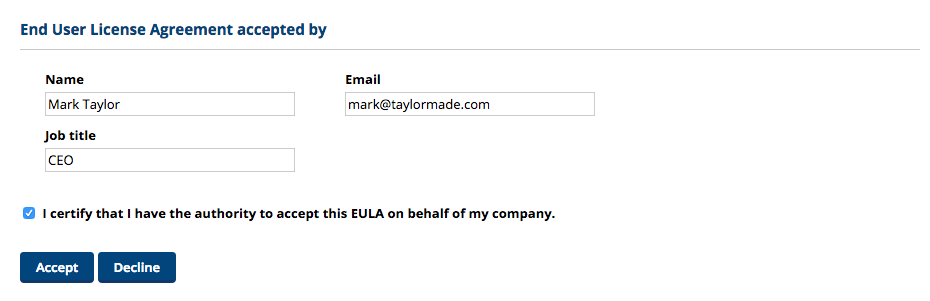
- Select the I certify that I have the authority to accept this EULA on behalf of my company check box.
- Click the Accept button.
Decline the EULA
IMPORTANT The users on your team will not be able to back up files using until you have read and accepted the EULA.
- Open the email.
- Click the Click here to read and accept the EULA link in the email.
- Click the Decline button.
NOTE If you have declined the EULA in error, contact your Service provider (refer to Get support for your File Protection account) and ask them to resend the email. Then follow the Accept the EULA steps, above.


